Projects

AI Page Analysis and Redesign Assistant

An AI product prototype that turns page input into diagnosis and redesign backlog

Status
Prototype
Type
AI Tool
Updated

A page analysis tool for product, marketing, and design discussions, using structured scoring and evidence-based recommendations to reduce subjective redesign debates.

Verifiable entry points

Demo and source

Public demo

Try the no-fetch-by-default Safe Mock flow, browser-side mock modes, and the structured result interface.

Try the public demo

Source evidence

Review URL validation, capture limits, request gating, and Safe Mock result generation.

Evidence

Interactive demo

The public page covers input, pipeline, scoring, issues, recommendations, and backlog

Opt-in capture

Off by default; when enabled, every hop is pinned to a validated public IP with redirect, size, timeout, and global concurrency limits

Bilingual surface

Chinese root routes and English /en routes share one locale-aware client component

Asset status

Only repository-backed product mocks, public documentation, or an explicit no-public-image explanation appear here.

Asset type: Product mock
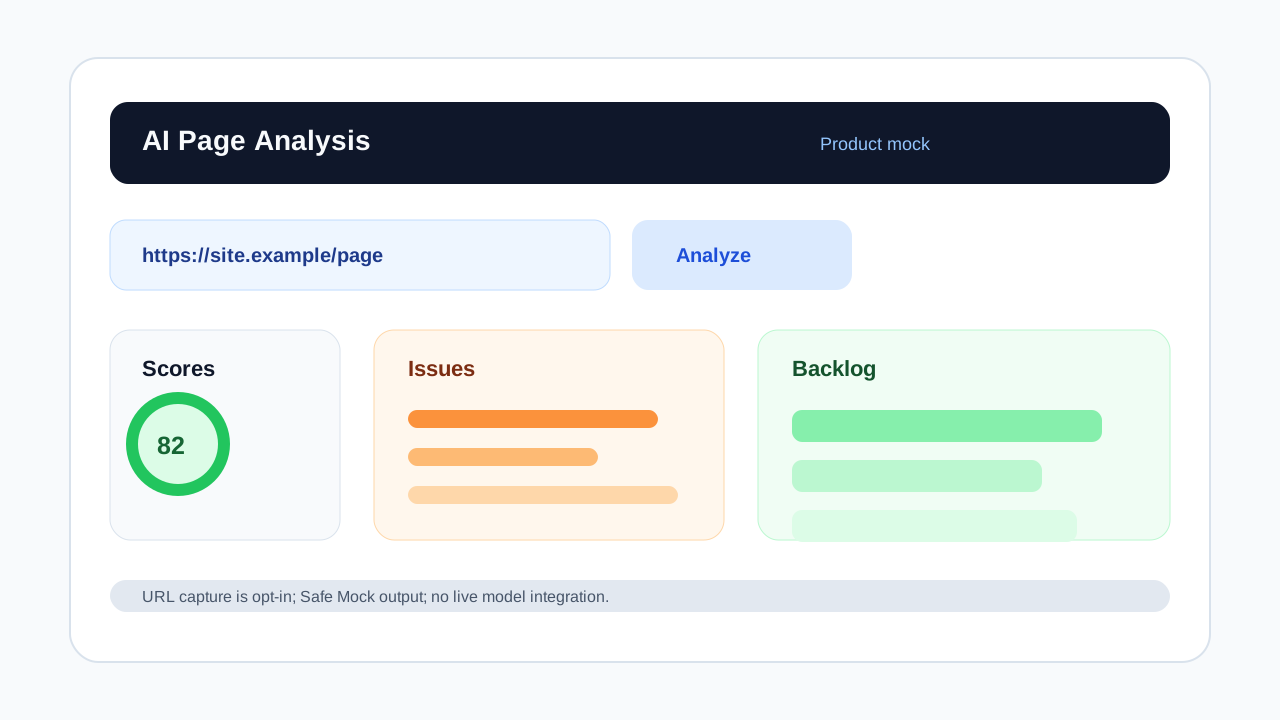
Product mock
Product mock for the AI page analysis assistant showing URL input, scores, issues, and backlog
Product mock: URL capture is off by default and requires an explicit server flag; scores and recommendations always come from a Safe Mock with no live model integration.

Asset type: Documentation

Read the safe-capture technical spec

The public spec records URL validation, SSRF protection, error codes, output schema, and model boundaries.

Read the safe-capture technical spec

Problem

Page redesign decisions often depend on personal taste and scattered comments, without a shared evidence chain tied to audience, business goals, and page structure.

Solution

URL mode does not request the target site by default and returns a controlled Safe Mock. An administrator can explicitly enable bounded public-HTML capture, but scores, issues, and backlog still come from the Safe Mock. Screenshot notes and briefs stay in the browser.

My role

  • Product scope
  • Information architecture
  • Next.js frontend
  • Mock analysis pipeline
  • Interaction states

Stack

  • Next.js
  • TypeScript
  • Tailwind CSS
  • Structured Output

Highlights

  • Explainable analysis steps
  • Outputs shaped for task planning
  • Extensible failure and low-confidence states

Architecture

The client owns the three input modes and interaction state. URL mode calls a Next.js API for reproducible Safe Mock output without requesting the target by default. Only an explicit server flag enables bounded public capture; screenshot notes and briefs stay in the browser.

  1. Step 01

    Browser input

    One client experience owns URL, screenshot-note, and product-brief input plus pipeline state.

  2. Step 02

    Mode routing

    URLs call POST /api/analyze; screenshot notes and briefs use the fixed client-side mock.

  3. Step 03

    Opt-in URL capture

    Off by default; when enabled, the server resolves and pins every hop to a validated public IP, rejects private and metadata addresses, and bounds size, time, and concurrency.

  4. Step 04

    Safe Mock output

    The URL, brief, and optional captured title feed deterministic scores, issues, recommendations, and backlog without calling a live model.

  5. Step 05

    Result interface

    The client presents progress, explicit failures, and structured delivery output.

Key decisions and impact

  1. Decision 01

    Separate safe capture from model generation

    Rationale
    Public URL capture needs its own SSRF, redirect, response-size, and timeout boundary before model work is considered.
    Impact
    The real input path is testable while the page remains explicit that analysis output is still a Safe Mock.
  2. Decision 02

    Send only URL mode through the server API

    Rationale
    Screenshot notes and briefs do not need network capture, so keeping them in the browser reduces server scope and data exposure.
    Impact
    All modes share one experience while their runtime and capability boundaries stay visible.
  3. Decision 03

    Do not persist analysis history yet

    Rationale
    The prototype validates input and output shape without adding accounts, a database, or more privacy obligations.
    Impact
    Deployment stays light, but refreshes cannot restore or compare earlier results.

Trade-offs

  • Bounded URL capture is implemented but off by default in production. Result generation remains a Safe Mock whether capture is enabled or not, so the demo does not overstate model capability.
  • No saved history keeps privacy and account scope small, but removes review and comparison workflows.
  • Screenshot notes and briefs stay in the browser, reducing server input scope but not parsing real image files yet.

Roadmap

  • Integrate model analysis with stable structured output
  • Add low-confidence review states
  • Add share pages, PDF export, and analysis history

Current limitations

  • No live model integration yet
  • No saved history yet
  • Logged-in page analysis is not supported

Next steps

  • Integrate real model analysis
  • Validate model output and review states
  • Add share pages and PDF export

Keep exploring

Related entry